← Back to work
Selected work

Android Auto

Google Assistant — Comms UX Lead scope · Projected & Embedded head units

A driver glances at the head unit for a second, not a session. Comms had to work hands-free, on two different kinds of hardware, without ever competing with the map.
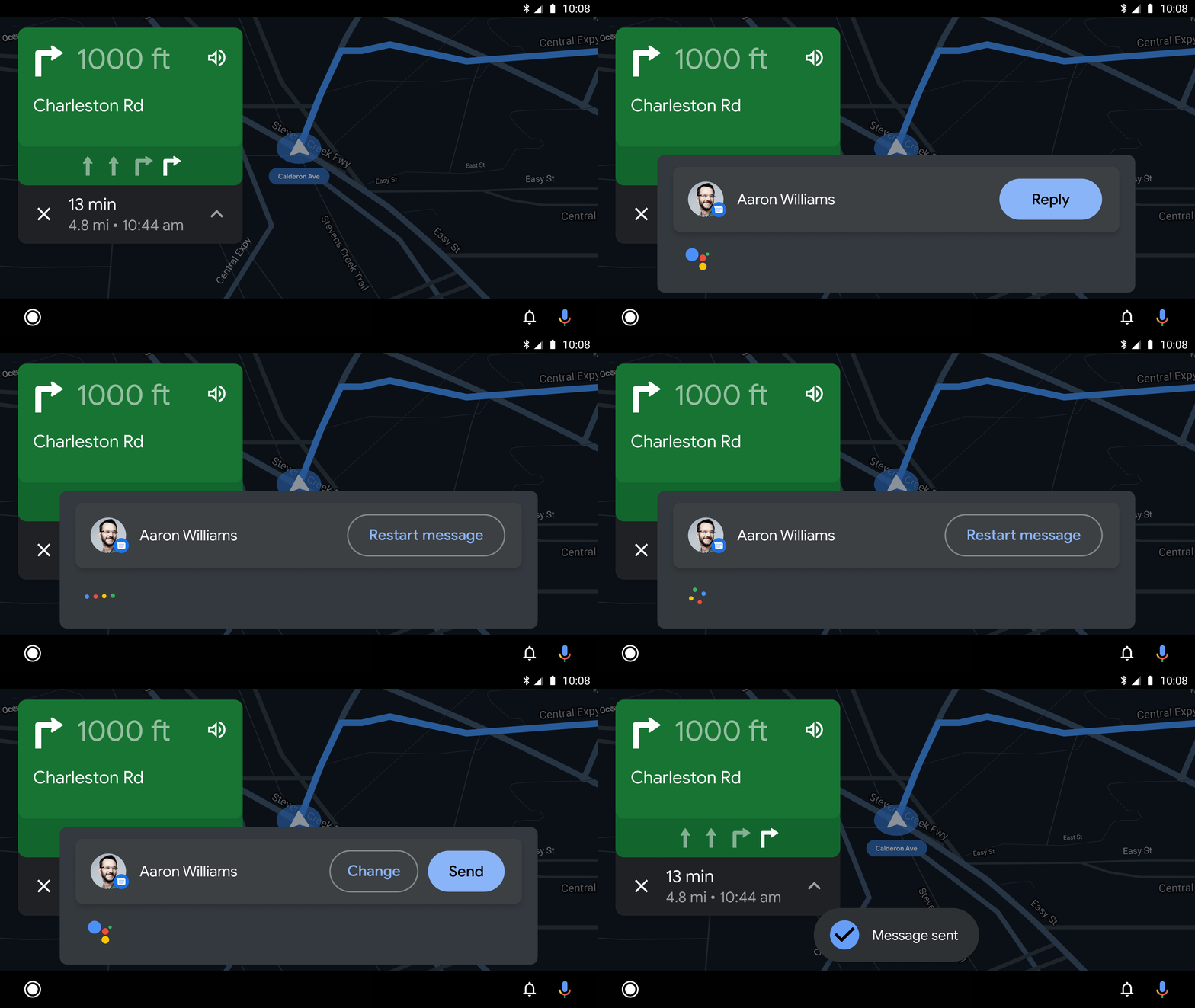
Animated demo of an incoming message notification appearing on the Android Auto navigation screen, overlaid on a live map without blocking directions
An incoming message, live on the map — never blocking navigation.
The Problem

Two head units, one safety-critical moment

Android Auto ships in two real forms — a projected experience mirrored from the phone, and an embedded system built into the car (Google Automotive Services). Calling or messaging while driving is one of the highest-stakes Assistant moments: a driver can't read a contact list or type, and any confusion competes directly with attention that belongs on the road. On top of that, cars are a uniquely constrained environment — inconsistent connectivity, a physical rotary controller as well as touch and voice, right-hand-drive markets, and formal distraction guidelines the UI has to design against, not around.

My Role

Designing the modular UI, and how it behaves when it's slow

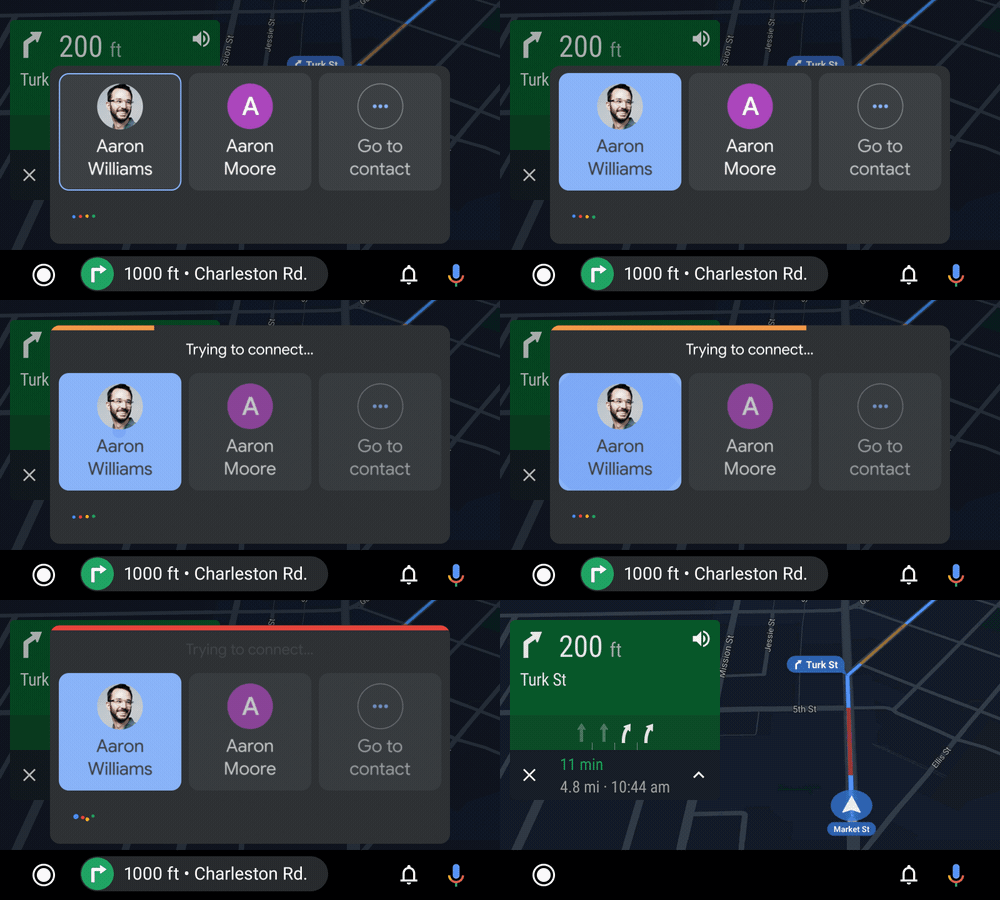
As part of my Comms UX Lead scope, I designed the modular UI component system — internally scoped across Spatial Model, UI Components, Invocation, Rotary Interaction, Distraction Guidelines, and Right-Hand-Drive/RTL support — and developed a latency framework covering both processing delay and limited connectivity, so a dropped signal reads the same way a slow response does: handled, not broken.

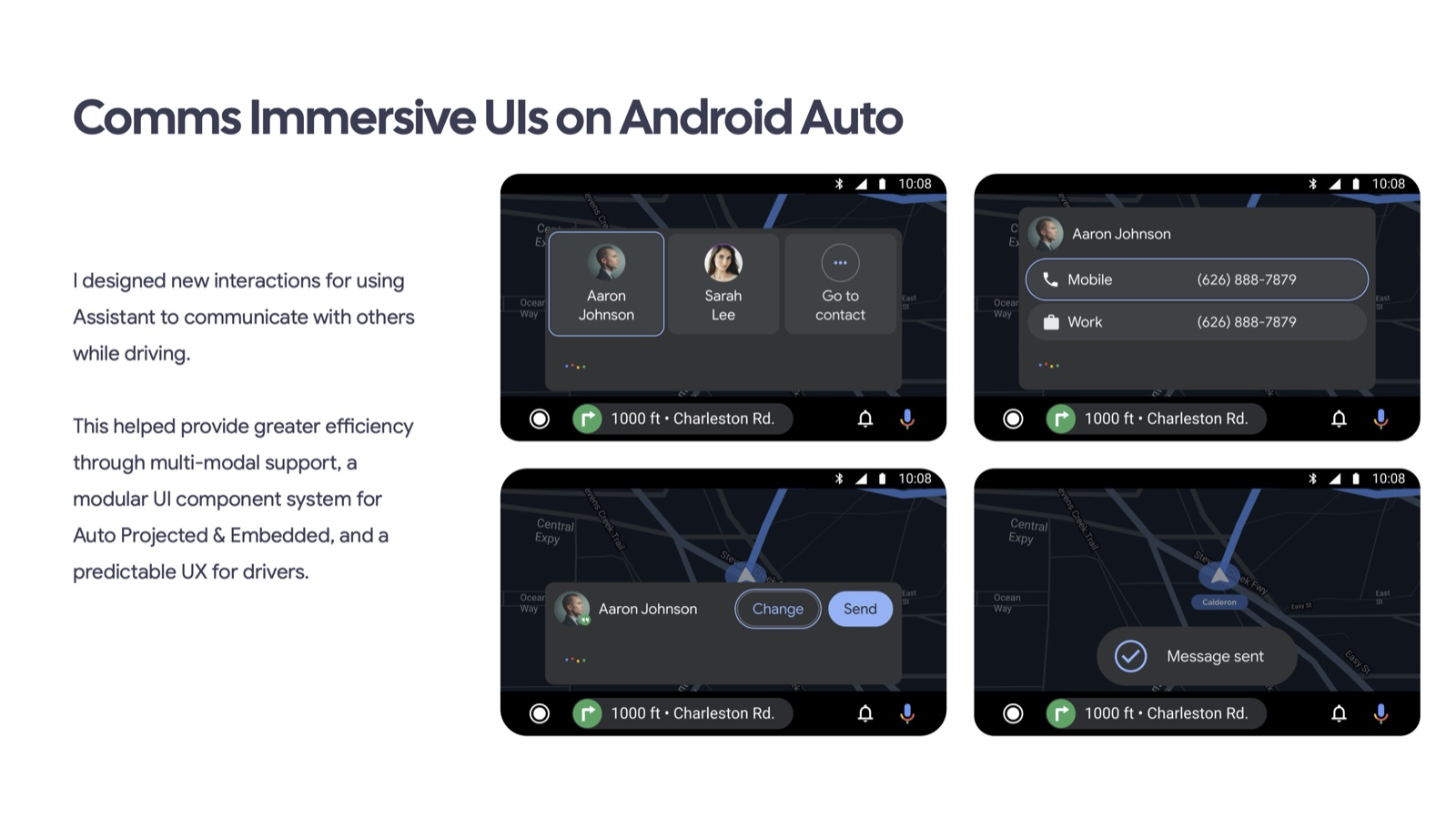
Comms Immersive UIs on Android Auto: modular contact selection, phone-number selection, message confirmation, and sent states over navigation
The modular communication system across contact selection, endpoint selection, confirmation, and message delivery.
Key Decisions

Glanceable, never modal

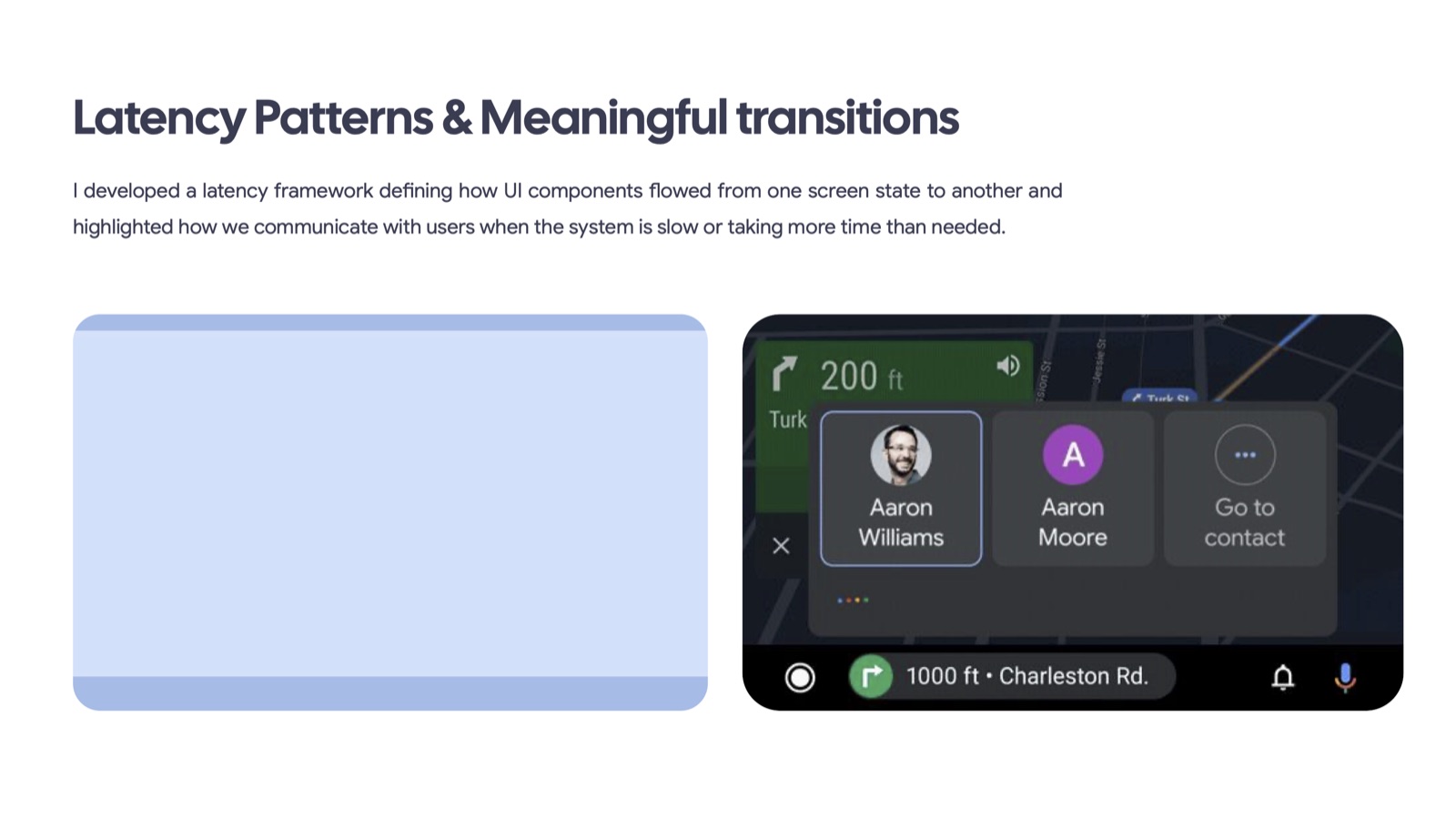
Latency patterns and meaningful transitions framework for Android Auto Original animated latency pattern and screen-state transition demonstration Original animated contact disambiguation and processing feedback on Android Auto
Latency patterns — defined transitions for every "still working" moment, including lost connectivity.
Impact

Less friction in hands-free communication

Content-aware Smart Replies supported easier responses, with fewer follow-on queries and dialog turns. The interaction and latency frameworks brought a consistent approach to communication in the car.