Selected work
Pixel Watch
Google Assistant — Comms UX Lead scope · Wear OS
Calling and messaging had to work on a screen you glance at for two seconds, biased almost entirely toward voice.
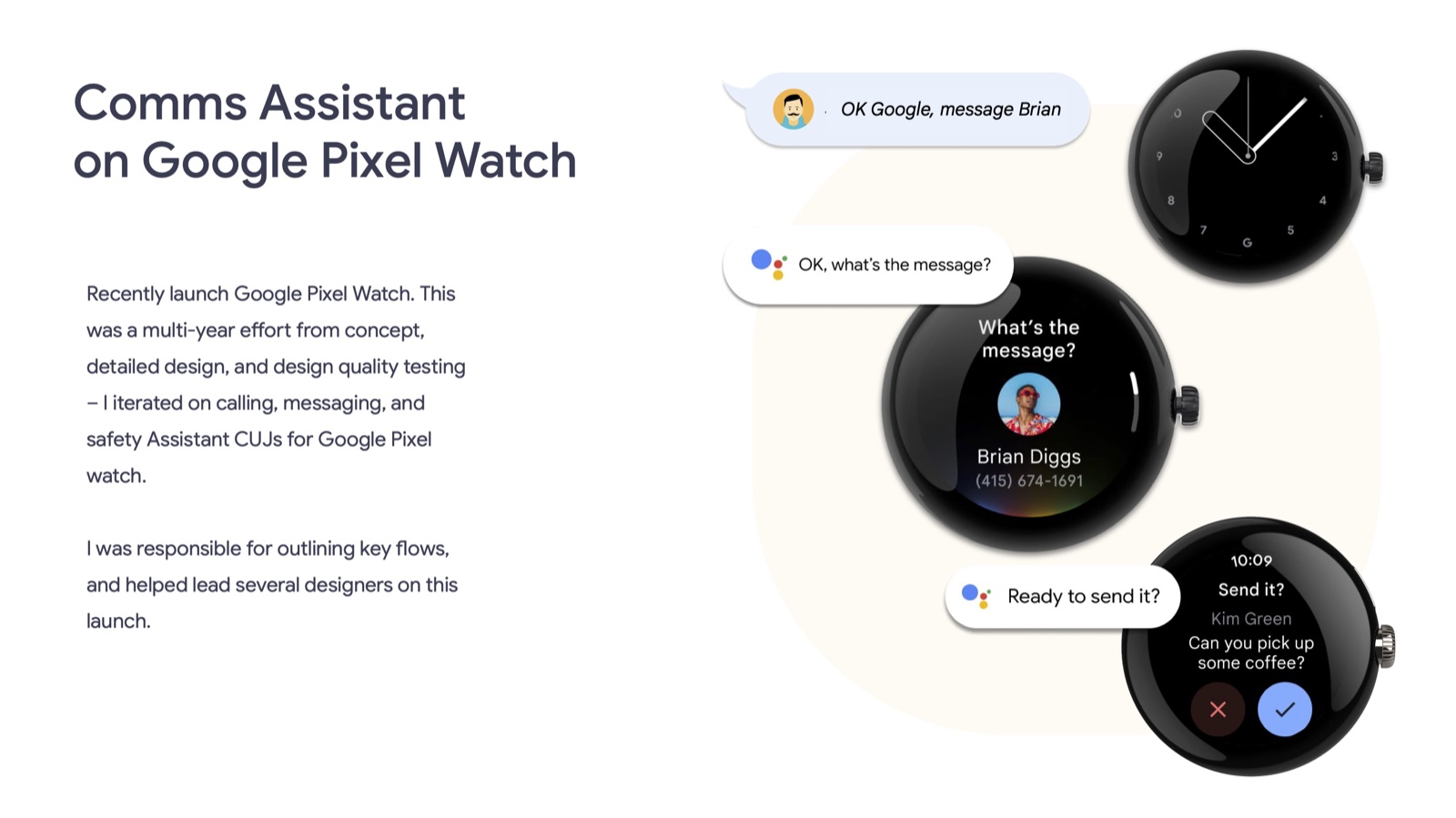
Calling and messaging had to work on a screen you glance at for two seconds, biased almost entirely toward voice.
A watch has no room for a contact list, a keyboard, or a long confirmation screen. Every comms interaction — calling, messaging, safety features — had to resolve almost entirely through voice, with the display used only to confirm, not to choose from.
Pixel Watch was a multi-year effort from concept through detailed design and quality testing. I iterated on calling, messaging, and safety Assistant CUJs, was responsible for outlining the key flows, and helped lead the other designers through the launch.
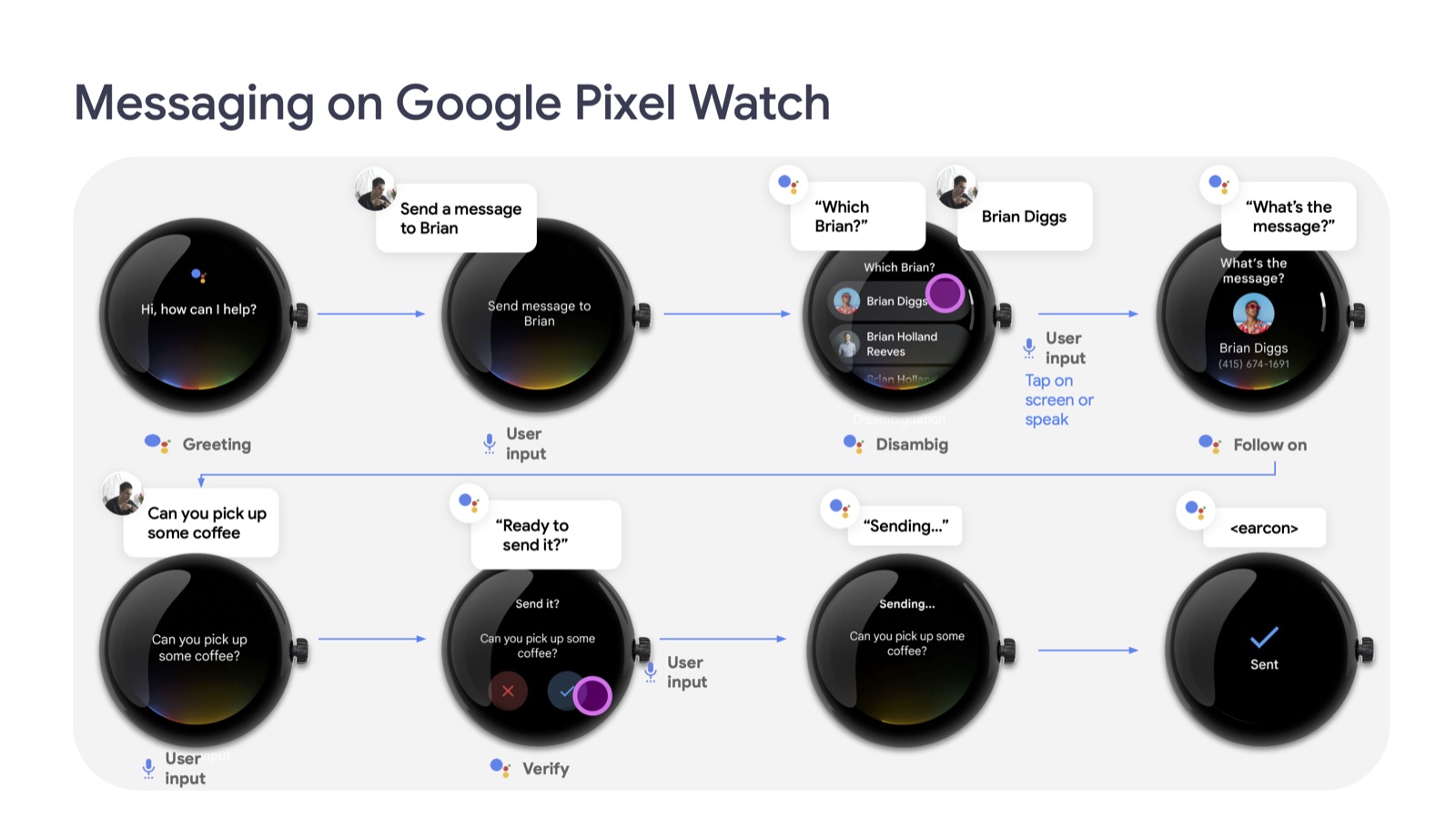
The work supported the shipped Pixel Watch launch, carrying calling and messaging flows from concept through detailed interaction design and quality testing. I outlined the key flows and helped guide other designers through the multi-year effort.
Adapting the broader Comms UX Framework for Wear OS established how voice-first communication could work on a small, round display. The annotated flows gave the team a shared reference for disambiguation, confirmation, and message delivery across the complete interaction.
These are delivery and system-level outcomes. I don't have verified adoption or usage metrics to report.